

I love a good home project. On weekends, you can usually find me staring at blank walls around my house and visualizing what I want to put there to fill the void. I have a running list of projects I want to tackle and come back to it often throughout the year because—let’s face it—these things take time. And I’m not just talking about the project itself. Equally time-consuming is the decision-making process, which may include scouring the internet for the perfect wall art, checking Facebook Marketplace for elusive gems, or just deciding the vibe you want for the space.
I don’t know about you, but I also tend to get cold feet when making big purchases for my home because… well, what if I don’t like it? What if it looks good on Instagram but not in my living room? What if the item doesn’t fit or just doesn’t go? I’ve had all of these thoughts and more as I’ve slowly curated my own home over the years. But I’ve since learned a little design hack that eases my anxiety and helps me visualize new pieces in my space before I buy anything new. And that hack is making a mood board with Canva.
How to Make a Mood Board with Canva
A mood board is essentially a collage of design elements you’d like to bring into your space. It can also be a mock-up of your room, but basically, it’s a vision board for your home. Most pros kick off their projects with a mood board but don’t worry, no interior design skills are needed to get started. Plus, you don’t need any fancy programs to make one. Canva—a free online design tool—works perfectly (otherwise, I sometimes use Instagram stories to make quick mood boards on my phone!). This design hack works for projects both big and small, whether you’re selecting throw pillows for your sofa or designing a whole room from scratch. If you’re ready to channel your inner Shea McGee, read on for tips on how to make your own mood boards using Canva, so you can bring new pieces into your home with confidence.

Source: Kristen Garaffo
1. Collect images of spaces and pieces you love
Before you mock up your own room, gather photos of spaces you love that have a style you’d like to emulate. This by itself is essentially making a mood board! Pinterest is a great place to start, and I personally love nothing more than scrolling through photos of cozy interiors. If your room has a unique feature, like a built-in nook or off-centered windows, search for those things specifically to get ideas on how others have made it work. Instagram is another great place for inspiration. As you scroll through all the gorgeous homes on the platform, you can save all your design inspo (including both images and reels) in one place—just create a specific folder in your saved section.
Once you have a good-sized collection of images, see if you notice any similarities throughout. Is there a specific color or texture you keep coming back to? Note that! Or maybe you’ve found a specific piece you love, like a sofa or a rug. If you’re considering purchasing the item, find and save a stand-alone image of that piece so you can use it for the next few steps. Make sure you find an image with an all-white background or crop out any of the staging elements pictured with it for best results.
2. Take pictures of your space and pieces you already own
While browsing new pieces either online or in-store, it’s helpful to have images of your space on-hand for reference. This is especially useful when you’re looking to add smaller pieces—such as wall art, lamps, or accent furniture—to a room that is already mostly furnished. I can’t tell you how many times I thought something would look great in a certain room, only to bring it home and realize it wasn’t a fit. In addition to overall photos of your space, gather images of the individual pieces you plan to keep. That way, you can mix and match new pieces you’re looking to purchase with the items you already own to see if they work cohesively together. You can either take your own photos or find images from the retailer’s website.
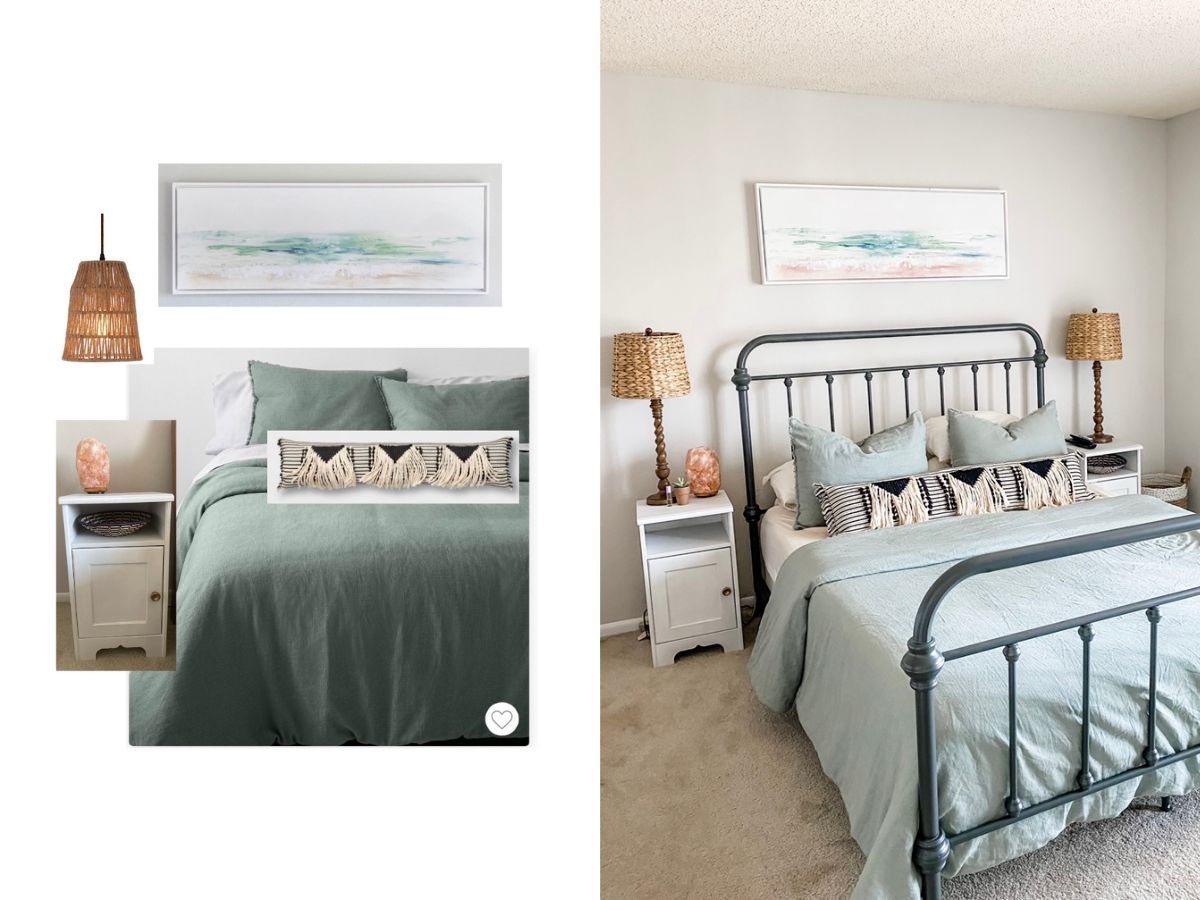
Source: Kristen Garaffo
3. Compile your images in a collage
Once you have a collection of potential purchases and images of pieces you already own, this is when the fun begins. After you sign in to Canva, type “mood board” or “photo collage” into the search bar, and you’ll see a bunch of different templates to choose from. The simpler the better, so I recommend starting with a neutral background color like white—or a close match to your wall color. After selecting a template, upload the images you’ve saved, then drag and drop them into the mood board. Adjust as needed until the arrangement mimics the desired layout of your space.
The free version of Canva has plenty of template options, but Canva Pro (the premium option with an annual fee) comes with more templates to choose from, as well as the ability to delete the backgrounds of your photos. A few years ago, I often created mood boards for clients and friends and wanted my images to be as professional as possible, so Canva Pro was perfect. But now that I’m just designing for myself, the free option works just fine!
Source: Kristen Garaffo
4. Paste products onto an image
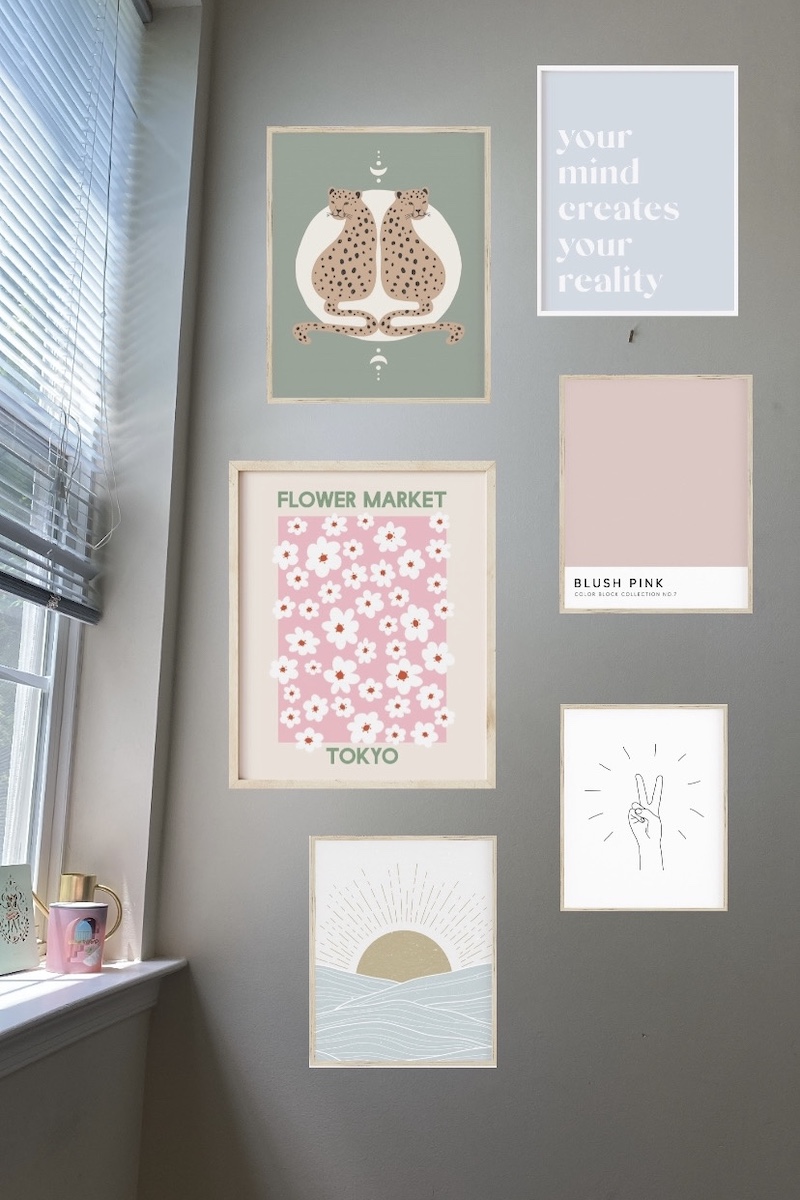
Another way to use this hack is to take an image of your space, upload it into Canva, and copy and paste images of things you’re considering purchasing right onto it. Though not technically a collage, it’s more of a “see it in your space before you buy it” board. This is a great way to try out things like wall art, which is easy to visualize on a blank wall space before you buy. Since you can’t accurately measure anything out in an image, be sure to note the new item’s dimensions and measure your space IRL to make sure it fits. Although you can easily change the size of things in Canva just by expanding them, that’s not possible in real life, so measurements are essential!
5. Set your mood board aside and let your ideas simmer
Once your mood board is complete, take a step back and mull it over. Let your vision percolate, and when you’re ready to come back to it, do a quick gut check. As Marie Kondo says, does it spark joy? Is this the vision you had for your space? If yes, then great! If not, take time to adjust the colors, textures, furniture, or layout until you’re satisfied. Remember, home projects take time, so have fun with the design process! All of your work will pay off when you find the right pieces and can confidently determine they’ll work well in your space, without having to worry about returning things. Happy designing!